 Why It Went to Spam
How do spam filters decide?
Short answer
Each provider weighs many signals, and none publishes a full formula. The signals they do name are authentication, how readers react, your sender reputation, how steadily you send, and how the message is built. Each provider weighs these its own way, so one email can land differently at Gmail and Outlook.com.
The detail
No mailbox provider publishes its full recipe. Google calls DMARC failure "one of several factors" in where a message ends up.[1] What providers do publish is guidance for senders. Read side by side, it points to the same handful of signals.
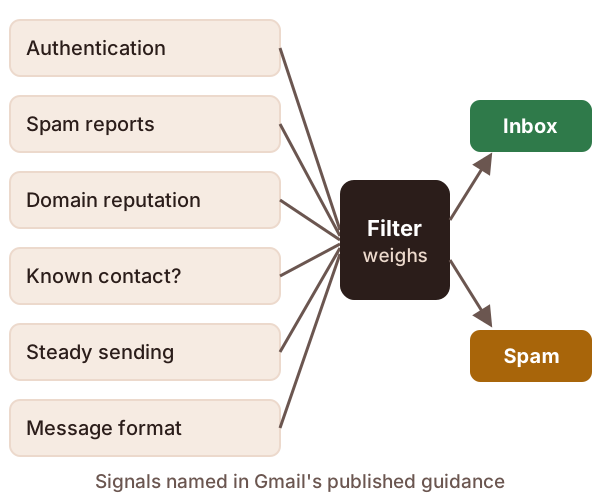
The signals providers name
Authentication. This is proof that a message came from the domain it claims. Google says mail with this proof is "less likely to be rejected or marked as spam".[2]
How readers react. Every click on "Report spam" teaches the filter. Gmail says it gets better at spotting similar mail as people report more of it.[3] Microsoft puts it well: authentication shows mail is from you, "but user perception still matters."[4]
Your reputation. Providers keep a running score for the domains you send from. Google's Postmaster Tools shows this score as a domain reputation rating.[5] There's more on this in what sender reputation is.
Whether you're a known contact. Google says mail from an address in the reader's contacts is less likely to be marked as spam.[2] That's one reason to ask new subscribers to add your address.
How you send. Google asks for a steady pace and no sudden bursts.[2] For example, sending nothing for months, then mailing your whole list at once, looks a lot like a spammer.
How the message is built. Mail should follow the standard email format, RFC 5322.[2] Every message should carry a valid Message-ID, a unique label for that one email.[2]
What readers do counts twice
A reader's actions change their own mailbox, too. If someone marks your mail "Not spam", Google says your future messages should reach their inbox.[2]
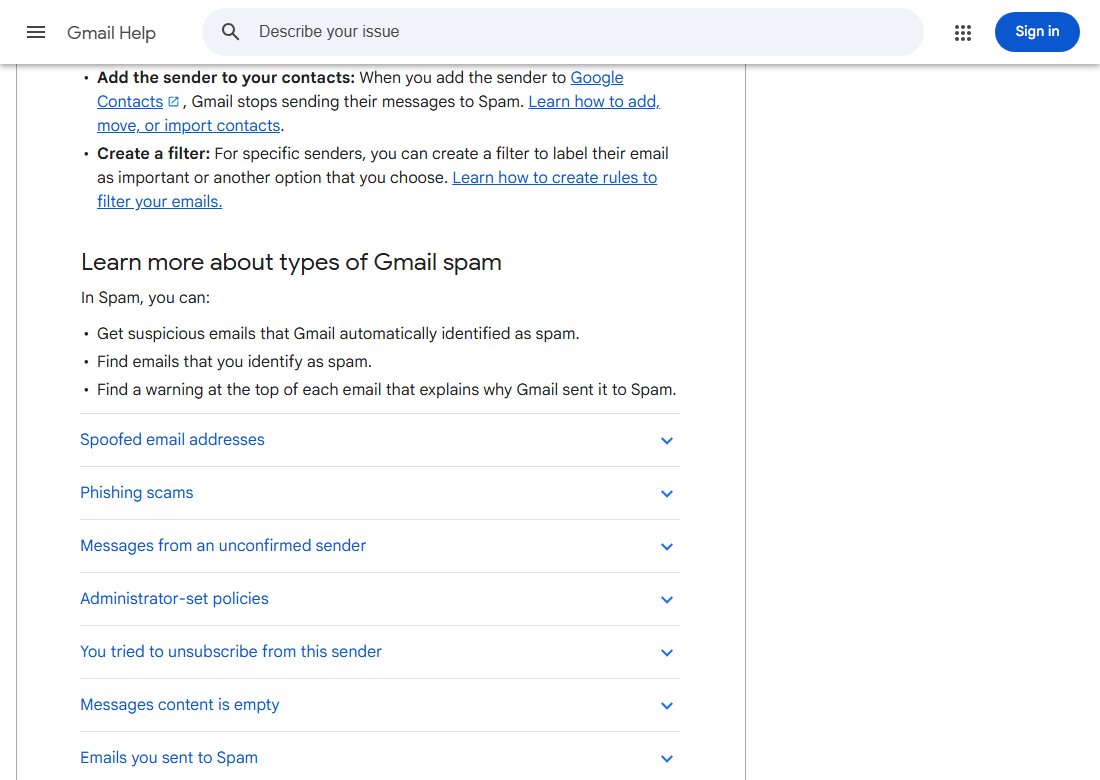
It works the other way as well. If a person has unsubscribed and you keep mailing them, Gmail sends your mail straight to Spam.[3] So a broken unsubscribe link costs you more than one reader.
Gmail even tells readers why a message landed in Spam. It shows a warning at the top of the email.[3]
Open rates aren't the signal you think
Many senders panic when open rates drop. Google says plainly that it doesn't track open rates.[2] It adds that low open rates aren't a reliable sign of a spam problem.[2] Look at spam complaints and authentication first.
Why Gmail and Outlook.com disagree
Each provider runs its own filter, trained on its own users' reports. The rules differ too.
- Yahoo works out spam rate from mail that reached the inbox.[6] It also won't say how much mail makes you a "bulk" sender.[7]
- Google's sender rules cover personal Gmail accounts. They don't apply to mail sent to Google Workspace accounts.[1]
- Work and school mail can have extra rules. In Gmail, an admin can set controls that mark some mail as spam.[3]
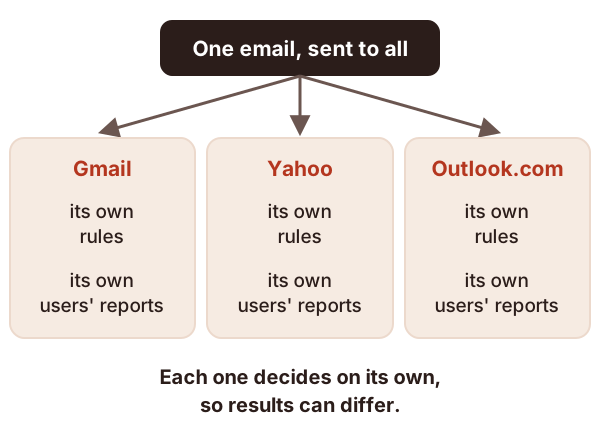
So "it reached my Gmail inbox" proves very little. Test with several providers, and read the headers of any message that misses. See how to read email headers.
Checks to try, in this order
- Confirm SPF, DKIM and DMARC pass. Start with what DMARC is.
- Check your complaint rate and domain reputation.
- Make sure unsubscribes work, and stop mailing people who left.
- Smooth out your sending into a steady pace.
- Check the message format and Message-ID.
Sources
- Email sender guidelines FAQ, Google (Gmail Help) (accessed 2026-10-18)
- Email sender guidelines, Google (Gmail Help) (accessed 2026-10-18)
- Report spam in Gmail, Google (Gmail Help) (accessed 2026-10-18)
- Strengthening Email Ecosystem: Outlook's New Requirements for High-Volume Senders, Microsoft (accessed 2026-10-18)
- Postmaster Tools dashboards, Google (Gmail Help) (accessed 2026-10-18)
- Sender Best Practices, Yahoo (accessed 2026-10-18)
- Sender Hub FAQs, Yahoo (accessed 2026-10-18)