 Why It Went to Spam
What are the bulk sender requirements?
Short answer
Gmail and Outlook.com set extra rules for domains sending about 5,000 or more messages a day to their users, and Yahoo has similar rules for bulk senders. You need SPF, DKIM and DMARC with a matching From domain, one-click unsubscribe for marketing mail, and spam complaints under 0.3%. A few basics apply to every sender, however small.
The detail
In 2024, Gmail and Yahoo started enforcing new rules for senders.[1][2] Outlook.com followed in 2025.[3] The rules are close, but not identical, so this page names whose rule is whose.
Who counts as a bulk sender?
Gmail: anyone who sends close to 5,000 or more messages to personal Gmail accounts within 24 hours.[4] Mail from all your subdomains counts together.[4] Cross that line once, and Gmail treats you as a bulk sender for good.[4]
Outlook.com: domains sending over 5,000 emails a day.[3] This covers Microsoft's consumer addresses at hotmail.com, live.com and outlook.com.[3]
Yahoo: it won't name a number.[5]
So a newsletter to 3,000 Gmail readers is below Gmail's line. Send it twice in one day, and you're over.[4] If you're anywhere near, just follow the bulk rules.
Rules for every sender
Gmail asks these of everyone sending to its users:[1]
- SPF or DKIM on your sending domain
- Valid forward and reverse DNS for your sending server. Reverse DNS uses a PTR record, which points an IP address back to a server name.[1]
- A secure connection, called TLS, between mail servers
- A spam rate below 0.3%
Yahoo's list for all senders is much the same: SPF or DKIM, and a spam rate below 0.3%.[2]
Extra rules for bulk senders
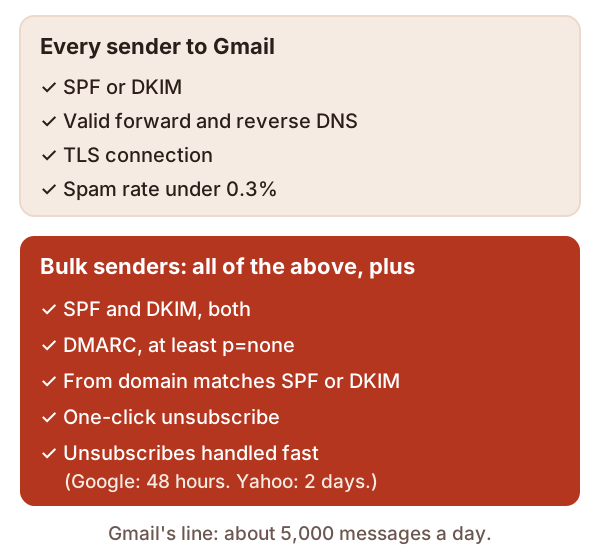
Both SPF and DKIM. Gmail and Yahoo require both.[1][2]
DMARC, at least p=none. A policy of none is enough.[1][2] Outlook.com asks for the same.[3] See what DMARC is.
A matching From domain. Your From domain must match the domain that passed SPF or DKIM. Only one has to match.[4] Outlook.com says the same, but prefers both.[3]
One-click unsubscribe. Marketing mail needs one-click unsubscribe, plus a visible unsubscribe link in the message.[1] Act on requests fast. Google recommends within 48 hours.[4] Yahoo says within 2 days.[2]
Spam rate: the number to watch
Your spam rate is the share of your mail that readers report as spam. Google works it out daily.[4] Aim to stay under 0.1%, and never reach 0.3%.[4] Google says rates above 0.1% already hurt inbox delivery for bulk senders.[4]
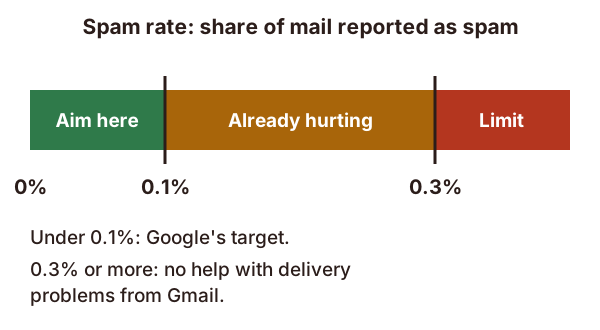
In plain numbers, 0.3% is 3 reports for every 1,000 messages.[4] It's a low bar to trip over. Go above it, and Gmail won't help you fix delivery problems. You become eligible again after 7 days in a row below 0.3%.[4]
One-click unsubscribe, done properly
Gmail's rule follows a standard, RFC 8058. Your message carries two headers.[6] The first must include one HTTPS web address.[6]
List-Unsubscribe: <https://example.com/unsubscribe/abc123>
List-Unsubscribe-Post: List-Unsubscribe=One-Click
The standard also says your DKIM signature must cover both headers.[6] A mailto: link alone doesn't meet Gmail's rule.[4]
Only marketing and promotional mail needs this. Password resets, booking confirmations and form receipts don't.[4]
Google's FAQ answers many edge cases, so it's worth a read.
What happens if you miss them
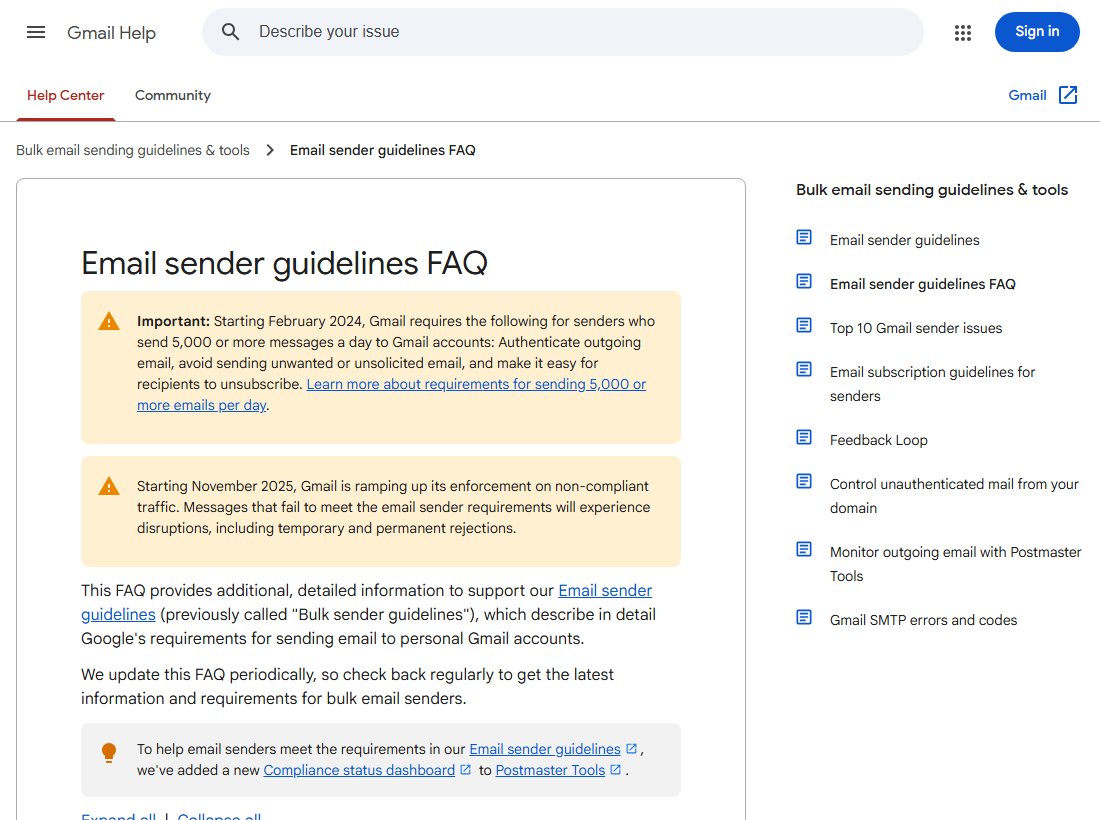
Gmail stepped up enforcement in November 2025. Mail that misses the rules can be turned away, for a while or for good.[4] Each rejection includes a reason. For example, one code says a message was "rate limited because DKIM authentication didn't pass".[4]
Outlook.com rejects failing mail with its own code, 550 5.7.515.[3]
If you see these codes, start with how to read email headers. It shows which check failed.
Sources
- Email sender guidelines, Google (Gmail Help) (accessed 2026-10-18)
- Sender Best Practices, Yahoo (accessed 2026-10-18)
- Strengthening Email Ecosystem: Outlook's New Requirements for High-Volume Senders, Microsoft (accessed 2026-10-18)
- Email sender guidelines FAQ, Google (Gmail Help) (accessed 2026-10-18)
- Sender Hub FAQs, Yahoo (accessed 2026-10-18)
- RFC 8058: Signaling One-Click Functionality for List Email Headers, IETF (accessed 2026-10-18)