 Why It Went to Spam
How do I roll out DMARC safely?
Short answer
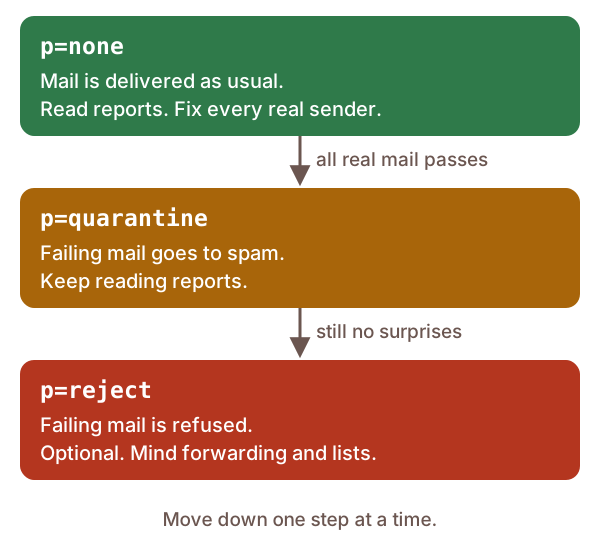
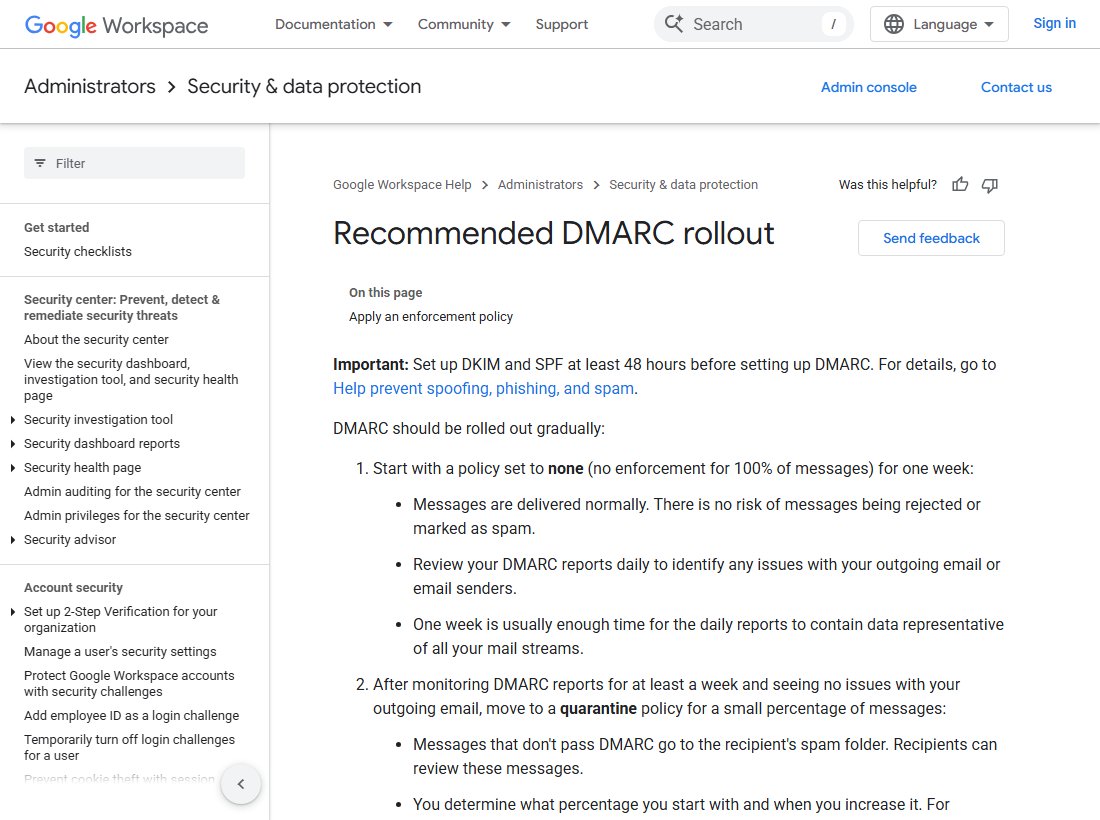
Publish DMARC with p=none and a report address first, then read the reports until every real sender passes. Move to p=quarantine next, and only later to p=reject. Google suggests at least a week at none; the DMARC standard suggests a month or more at each step for some domains.
The detail
A DMARC policy of reject asks providers to refuse mail that fails. That's great against fakes. It's a disaster if your own invoices fail too. So you get there in stages, and you let the reports tell you when it's safe to move on.
Microsoft gives the same advice: go from none, to quarantine, to reject.[1]
Step 1: Get SPF and DKIM working first
Google says to set up SPF and DKIM at least 48 hours before DMARC.[2] DMARC only passes when one of them passes for your domain. If you're not sure how, see what SPF is and what DKIM is.
Also set up a mailbox just for DMARC reports.[3] Reports arrive daily or more often, so keep them away from everyday mail.[4]
Step 2: Publish p=none and watch
Start in monitoring mode. That means a policy of none, plus an address for reports.[3]
v=DMARC1; p=none; rua=mailto:[email protected]
Nothing changes for your mail at this stage. Google says it's delivered as normal.[2] This step is about learning, not blocking.
Step 3: Read the reports
Each report lists the servers that sent mail using your domain. For each server it shows the IP address, the SPF and DKIM results, and what the provider did with the mail.[4]
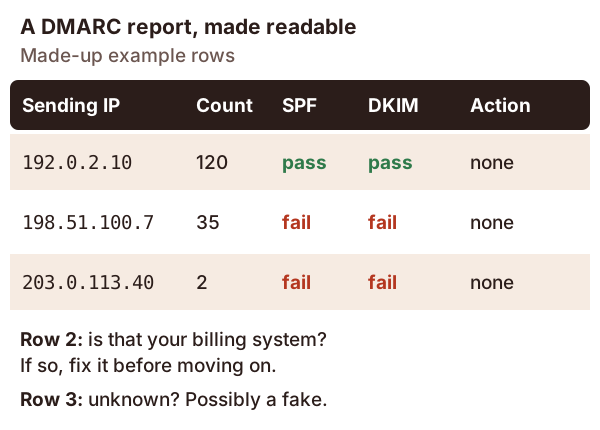
The reports are raw XML.[4] The standard says software should read them for you.[3] That can be a report service or your own tools.[3] What matters is seeing each sending source and its results.
Expect surprises. The standard says it plainly: it's easy to overlook a server, or forget a service that sends for you.[3] Think of an old contact form, a billing system, or a scanner that emails PDFs.
Google says a week of reports is usually enough to see all your mail streams.[2] If you send some mail only monthly, wait longer.
Step 4: Fix every real sender
Sort the sources into two piles. Some will be fakes, which is exactly what DMARC is for. Others will be your own services that fail.[3]
Fix every real one before you go further. The standard makes this a must.[3] For each failing service, turn on DKIM signing with your domain. Or add it to your SPF record, and make sure its envelope domain is yours.
This can take a while. The standard warns it may take many months for some domains.[3]
Step 5: Move to quarantine
Once every real sender passes, change p=none to p=quarantine. At Google, failing mail now goes to the spam folder.[2]
About pct. Older guides, including Google's rollout page, use pct= to apply the policy to only part of your mail.[2] The 2026 standard dropped it. It says providers rarely applied it accurately.[3]
In its place is a testing flag, t=y.[3] With p=quarantine; t=y, failing mail is handled as if the policy were still none.[3] You can switch the flag on, check the reports, then remove it.
Step 6: Move to reject, if it suits you
p=reject means failing mail is refused and never delivered.[2] Before you take this step, know the risks.
Forwarding and mailing lists. A strict reject can cause trouble for forwarded mail and for mailing lists.[3] SPF breaks when mail is forwarded, so the standard says domains using reject must sign with DKIM.[3]
Your staff on mailing lists. For domains whose people post to lists, the standard suggests caution. Keep p=none for at least a month. Then use p=quarantine for the same again before reject.[3]
If your staff use the domain for everyday mail and mailing lists, quarantine may be the better place to stop.
Step 7: Keep reading the reports
Don't stop once you're at enforcement. New services get added and keys change. A quick weekly look at the reports catches problems before your readers do.
If mail starts failing, the email headers guide shows how to find the failing check in a single message.
Sources
- Strengthening Email Ecosystem: Outlook's New Requirements for High-Volume Senders, Microsoft (accessed 2026-10-18)
- Recommended DMARC rollout, Google Workspace Admin Help (accessed 2026-10-18)
- RFC 9989: Domain-Based Message Authentication, Reporting, and Conformance (DMARC), IETF (accessed 2026-10-18)
- RFC 9990: DMARC Aggregate Reporting, IETF (accessed 2026-10-18)